Local LLMs in aiFetchly: Zero-Cost Offline Analysis
The Problem: The High Cost and Privacy Risks of Cloud LLM APIs
Data analysts, market researchers, and business intelligence teams increasingly rely on generative AI to summarize web scraping extracts, analyze competitor pricing, and synthesize unstructured market intelligence. However, enterprise teams encounter two severe roadblocks when relying on commercial cloud LLMs: escalating token costs and strict data compliance mandates.
Running thousands of harvested documents or client records through commercial cloud APIs quickly racks up unsustainable monthly bills. More critically, uploading proprietary datasets or internal research to remote multi-tenant servers violates non-disclosure agreements, GDPR, and enterprise privacy standards.
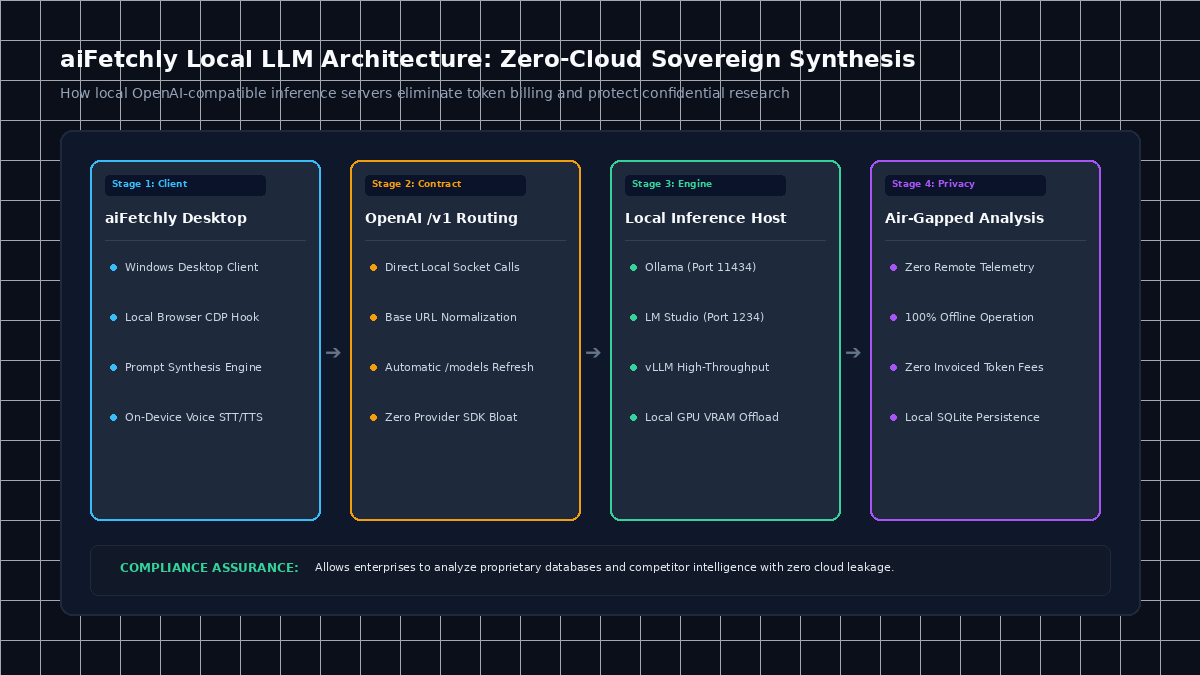
AI Fetchly solves this dilemma through its Custom AI Provider architecture. Rather than locking users into proprietary cloud endpoints, aiFetchly enables analysts to connect directly to local inference engines—such as Ollama, LM Studio, and vLLM—running open-weights models (such as Llama 3, DeepSeek, and Mistral) entirely on local workstation hardware.
Supported Local Inference Presets in aiFetchly
| Inference Provider | Default Base URL | Auth Requirement | Ideal Use Case |
|---|---|---|---|
| Ollama | http://localhost:11434/v1 | None | Rapid local deployment, lightweight quantized models |
| LM Studio | http://localhost:1234/v1 | None | Visual model experimentation with GPU offloading |
| vLLM | http://localhost:8000/v1 | None | High-throughput batch synthesis and parallel queries |
| OpenRouter / OpenAI | https://openrouter.ai/api/v1 | API Key (Masked) | Hybrid fallback for specialized reasoning tasks |
How Local Provider Orchestration Works in aiFetchly
1. Direct OpenAI-Compatible Backend Contract
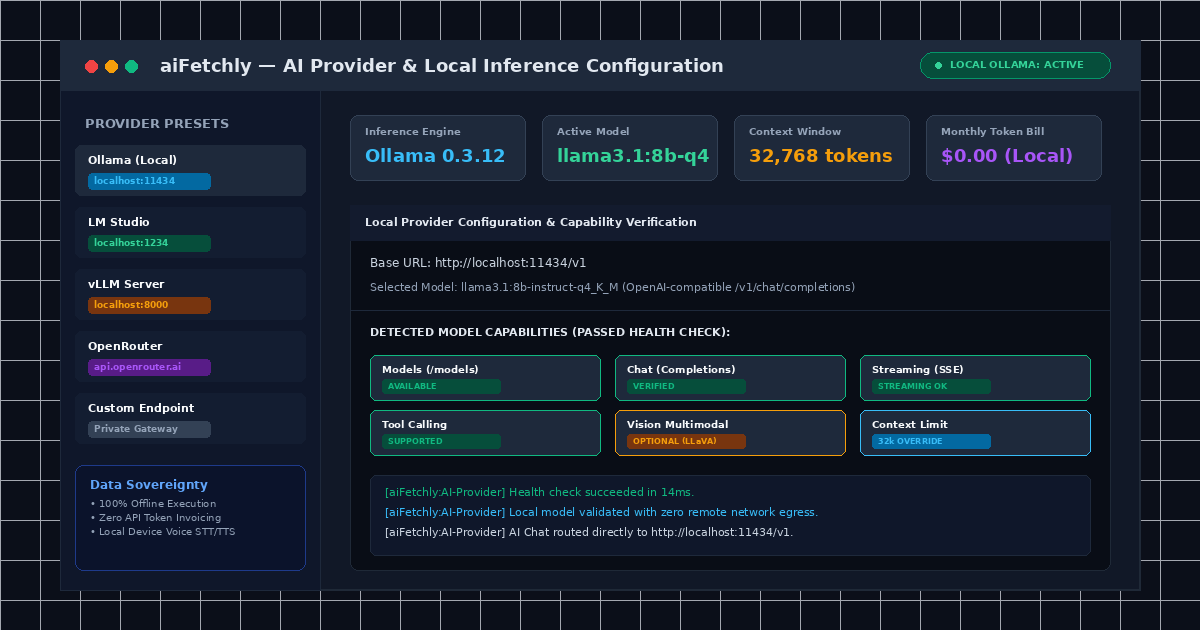
aiFetchly does not bundle bloated provider SDKs. Instead, its desktop client communicates directly with your local endpoint via the standard OpenAI chat completions protocol (/v1/chat/completions and /v1/models). Because communication occurs locally on your machine, your API keys and dataset payloads never transmit across the public internet.
2. Automated Base URL Normalization and Model Refresh
Setting up local servers often causes syntax mismatches. aiFetchly automatically normalizes base URLs (stripping trailing slashes and ensuring correct /v1 routing). Clicking Refresh Models automatically queries the endpoint’s /models route to populate available local models in a convenient selector, while also permitting manual combobox overrides for specialized local builds.
3. Automated Capability Badges and Health Verification
Before running heavy analysis workflows, analysts can execute a single-click Test Connection. aiFetchly performs a multi-stage health check—verifying reachability, executing non-streaming and streaming test prompts, and probing tool-calling support. The interface displays clear visual Capability Badges:
- Chat & Streaming: Confirms real-time token streaming and prompt responses.
- Tools: Validates whether the local model supports structured tool invocation.
- Vision: Confirms multimodal support for chart and UI screenshot evaluation.
- Context: Verifies detected context windows and allows manual token limit overrides to prevent local VRAM exhaustion.
The Future of Sovereign Local Data Intelligence
By decoupling agent orchestration from closed cloud APIs, aiFetchly empowers data analysts to execute unlimited, high-volume data synthesis with zero token fees and complete data sovereignty.
To configure your local model endpoint, explore the AI Fetchly Docs.
Visual Generation Prompts
Hero Image Prompt:Modern SaaS application window in dark mode, showing the aiFetchly AI Provider configuration interface with local Ollama settings, verified capability badges (Chat, Streaming, Tools, Context), active model selector, and zero cloud network egress indicator, isometric 3D perspective, cyan and emerald glowing accents.Body Image Prompt:Clean technical architecture diagram illustrating local AI inference in aiFetchly: desktop client communicating over local loopback sockets to an on-device Ollama/vLLM server with local GPU offloading, air-gapped data flow, dark slate vector styling.