Durable Workspace Memory: Stop AI Context Amnesia
The Problem: The High Tax of AI Context Amnesia and Context Rot
Every power user working with modern LLMs and agentic assistants encounters the same operational frustration: context amnesia.
When starting a fresh chat session, the agent inevitably forgets established architectural decisions, coding styles, custom scripts, and hard-earned debugging warnings. Conversely, attempting to maintain a single, massive conversation thread triggers severe “context rot.” Over extended sessions, model reasoning degrades, hallucination rates spike, and massive conversational payloads exhaust token budgets.
Ad-hoc workarounds—such as pasting bloated system prompts, maintaining static text notes, or relying on global cloud memories—introduce new liabilities. Global memory causes cross-project data bleed, where proprietary instructions from one client repository inadvertently leak into another.
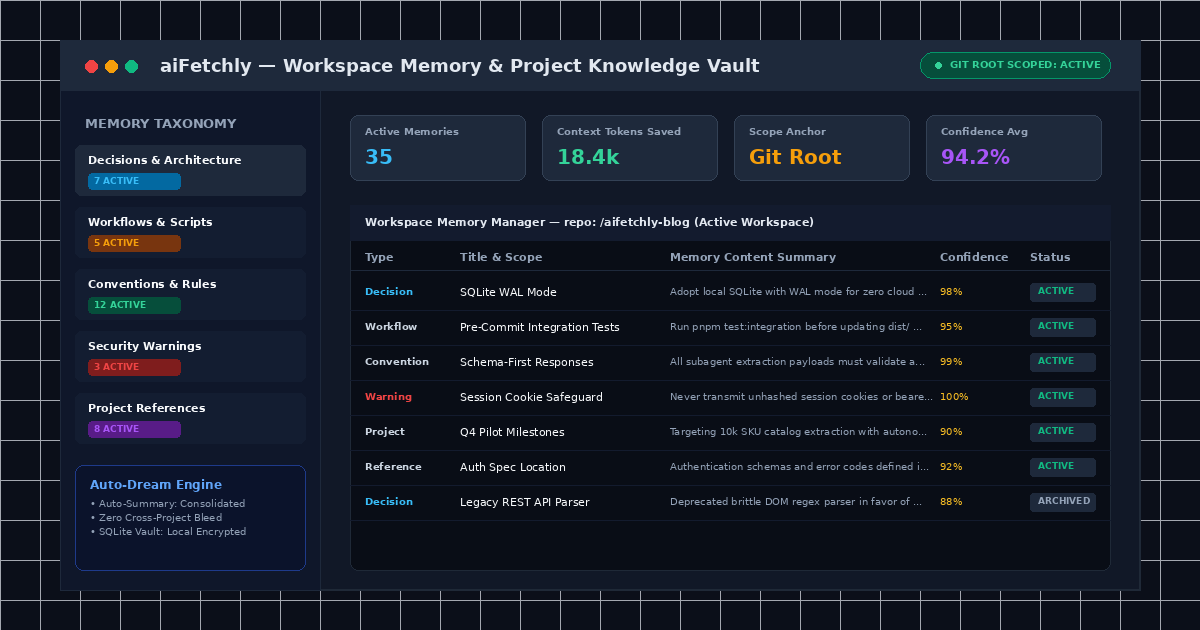
AI Fetchly resolves this bottleneck with Workspace Memory. By scoping durable knowledge directly to trusted local directories and Git repositories, aiFetchly enables AI Chat to retain persistent project intelligence across sessions without bloating active context.
Structured Memory: Beyond Flat Prompt Pasting
Rather than dumping unstructured conversation text into the context window, Workspace Memory organizes project knowledge into six specialized categories:
| Memory Type | Target Use Case | Practical Example |
|---|---|---|
| Project | Milestones, stakeholder goals, business logic | ”Targeting Q4 enterprise pilot with 10k SKU catalog” |
| Decision | Approved architectural or technical choices | ”Adopted SQLite WAL mode over external PostgreSQL” |
| Workflow | Workspace commands, build steps, staging orders | ”Run pnpm test:integration before updating dist/“ |
| Convention | Formatting, typing rules, naming schemas | ”All API responses must wrap payloads in data key” |
| Reference | Pointers to specs, local configs, endpoints | ”Auth schemas defined in src/schemas/auth.v2.json” |
| Warning | Flaky tests, compliance limits, security pitfalls | ”Never pass unhashed session cookies to subagents” |
How Workspace Memory Eliminates Context Friction
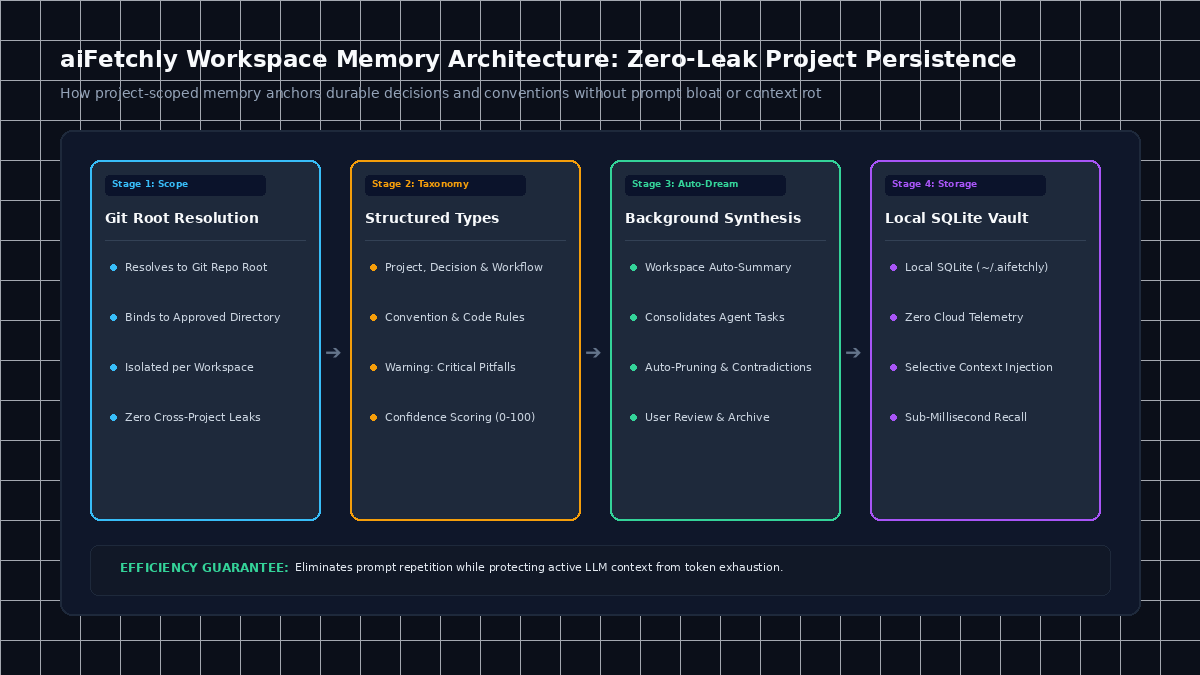
1. Deterministic Scope Anchored to Git Root
Workspace Memory activates only within an approved local directory. If your active folder is part of a Git repository, aiFetchly resolves the memory scope to the repository root; otherwise, it binds to the exact file path. Conversations within the same workspace share persistent memories, while memories from unrelated client folders remain completely isolated.
2. Structured Categorization and Confidence Scoring
Every memory item tracks essential governance metadata: category type, short scannable title, concise body text, a confidence score (0–100), and status flags (active, archived, contradicted). Users can search memories, modify content, or archive outdated guidelines with a single click.
3. Automated Consolidation with Workspace Auto-Dream
Power users do not need to manually log every convention. aiFetchly features Workspace Auto-Summary (internally called workspace auto-dream). In the background, the agent analyzes multi-turn conversations and subagent task outputs, extracts durable takeaways, and prompts users to review or archive synthesized memories.
4. Local SQLite Persistence with Zero Cloud Leaks
All workspace memories reside in your workstation’s local SQLite database (~/.aifetchly). When a new chat begins, aiFetchly selectively injects only relevant memories into the prompt window, ensuring high reasoning fidelity and complete privacy.
For configuration details and slash command shortcuts, explore the AI Fetchly Docs.
Visual Generation Prompts
Hero Image Prompt:Modern SaaS application window in dark mode, showcasing the aiFetchly Workspace Memory management interface with categorized memory cards (Decisions, Workflows, Warnings), confidence scores, Git repository scope badge, isometric 3D perspective, cyan and emerald glowing accents.Body Image Prompt:Clean technical architecture diagram illustrating the four pillars of Workspace Memory: Git root resolution, taxonomy classification, background auto-dream consolidation, and local SQLite vault persistence, dark slate vector styling.