Automating Recurring AI Pipelines: aiFetchly Task Scheduler
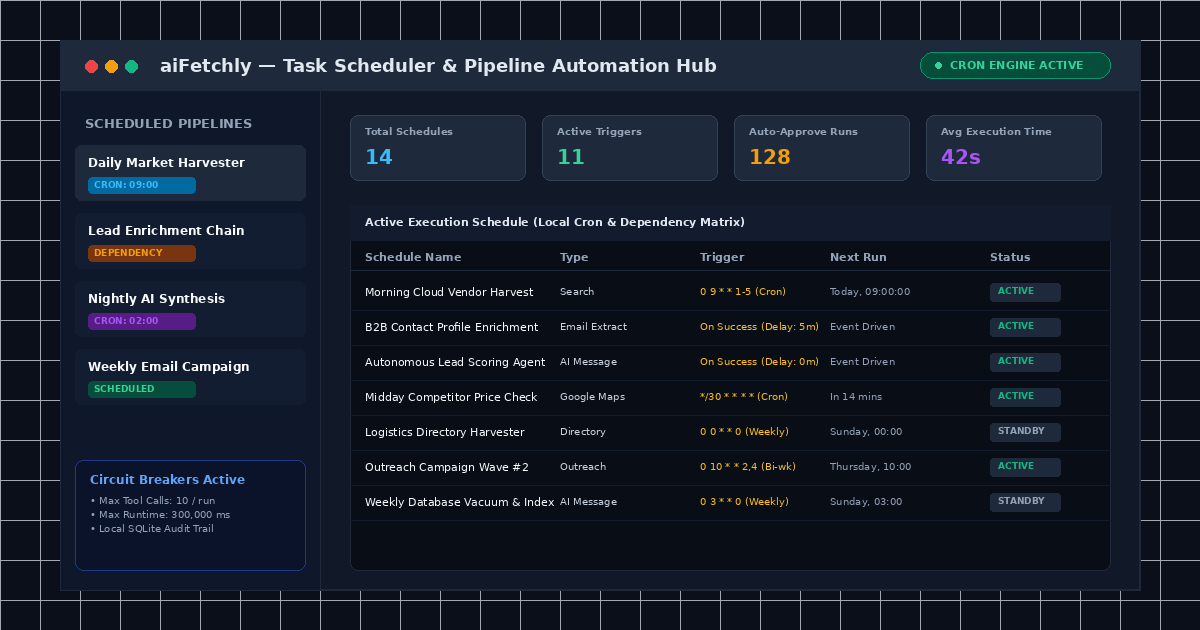
The Operational Cost of Fragmented Cloud Schedulers
Engineering and data teams running web extraction pipelines frequently face an operational bottleneck: keeping data collections fresh without maintaining fragile external cron servers, serverless lambdas, or complex message queues.
Traditional cloud schedulers require provisioning remote cloud infrastructure, exposing internal database ports, and paying recurring SaaS fees. Furthermore, autonomous AI agents running on headless cloud servers lack strict execution boundaries, making them prone to runaway token consumption and unintended data mutations.
AI Fetchly solves these challenges with its desktop-native Task Scheduler. Built directly into the Windows desktop client, the scheduler orchestrates end-to-end data pipelines—from initial market search to autonomous AI analysis—entirely on local hardware with zero external dependencies.
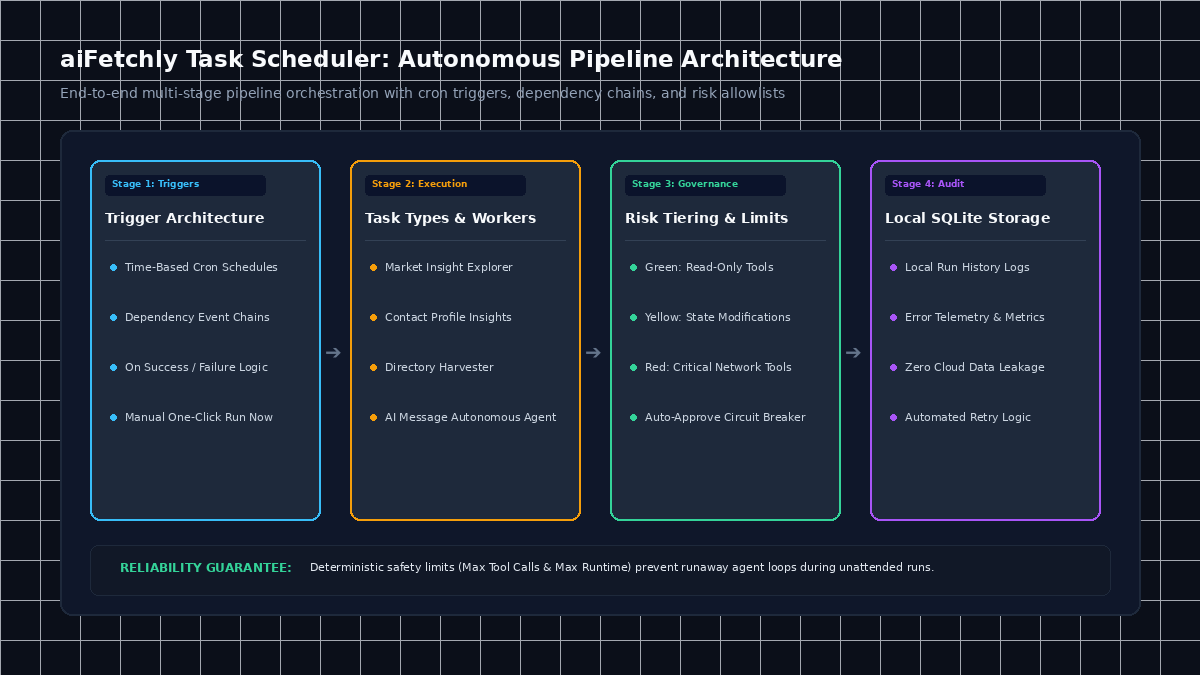
Core Scheduling Triggers and Pipeline Topology
The Task Scheduler supports three distinct trigger architectures that can be combined into multi-tier execution chains:
| Trigger Type | Mechanism | Optimal Use Case |
|---|---|---|
| Cron Trigger | Standard 5-field cron syntax & presets (hourly, daily, weekdays) | Time-driven recurring web harvests and morning digests |
| Dependency Trigger | Event-driven execution on parent task success, completion, or failure | Multi-step workflows (Search -> Extract -> AI Analysis) |
| Manual Trigger | Single-click on-demand execution via the UI or CLI | Debugging, testing, and periodic ad-hoc extractions |
By linking dependency triggers with configurable delay intervals (e.g., waiting 5 minutes between crawl completion and analysis), developers can build reliable data staging pipelines without custom glue code.
Inside the Autonomous AI Message Task Architecture
Beyond standard scraper scheduling, aiFetchly allows developers to schedule autonomous AI Message tasks. When an AI Message task triggers, it instantiates an autonomous background subagent guided by strict runtime boundaries:
1. Risk-Tiered Tool Allowlists (Green, Yellow, Red)
To prevent unintended actions during unattended execution, available tools are categorized into strict risk levels:
- Green (Low Risk): Read-only operations such as database queries, Knowledge Library vector searches, and document parsing.
- Yellow (Medium Risk): Operations with moderate side effects, such as generating new draft templates or local file creation.
- Red (High Risk): Actions that modify persistent records, execute shell commands, or initiate external network requests.
- Blocked: Sensitive tools permanently barred from unattended execution.
2. Auto-Approve Safety Limits & Circuit Breakers
Autonomous execution requires fail-safe boundaries. Developers configuring AI Message tasks can enable the Auto-Approve Tools toggle while enforcing deterministic safety limits:
- Max Tool Calls: Hard-capped per execution (default: 10 calls) to halt recursive agent loops.
- Max Runtime: Circuit-breaker threshold (default: 300,000 ms / 5 minutes; minimum: 1,000 ms) preventing runaway compute.
- Max Continue Calls: Caps multi-turn autonomous continuation cycles (default: 10 cycles).
3. Local SQLite Audit Trails and Next-Run Telemetry
Every scheduled run commits full execution metrics to the local SQLite database (~/.aifetchly). The Schedule dashboard provides real-time status cards (Total, Active, Inactive, Paused), next-run calculators, execution logs, and instant error telemetry.
For comprehensive trigger configurations and CLI commands, explore the AI Fetchly Docs.
Visual Generation Prompts
Hero Image Prompt:Modern SaaS application window in dark mode, showing the aiFetchly Task Scheduler dashboard with active cron execution schedules, live dependency pipeline monitors, runtime circuit breaker counters, isometric 3D perspective, cyan and amber neon accents.Body Image Prompt:Clean technical architecture diagram illustrating a 4-stage automated scheduling pipeline: Cron and Dependency triggers flowing into execution workers, risk allowlist evaluation, and local SQLite audit persistence, dark slate vector styling.