Auditing Agent Code Changes: Inside aiFetchly Diff Viewer
The Anxiety of Blind Agent File Mutations
Autonomous AI coding agents equipped with local filesystem access represent a massive leap in engineering velocity. Whether refactoring authentication services, adjusting configuration schemas, or updating test suites, an agent can accomplish in seconds what previously took hours of tedious manual typing.
However, granting AI models write access to local repositories introduces severe developer anxiety:
- Silent Logic Overwrites: Agents may rewrite entire utility files to fix a minor bug, inadvertently discarding critical edge-case handling or uncommitted edits.
- Context Blindness: When conversational assistants parse hundreds of lines of code across multi-turn sessions, developers lose track of exactly which files were read into context versus which were actually mutated on disk.
- Tool-Switching Friction: To verify what an agent altered, developers are forced to leave their chat window, open a separate terminal, and manually run
git statusorgit diff, destroying coding flow.
AI Fetchly resolves this governance friction in AI Chat V2 with its native File Operations Panel and Inline Diff Viewer.
Real-Time Turn-Scoped File Tracking
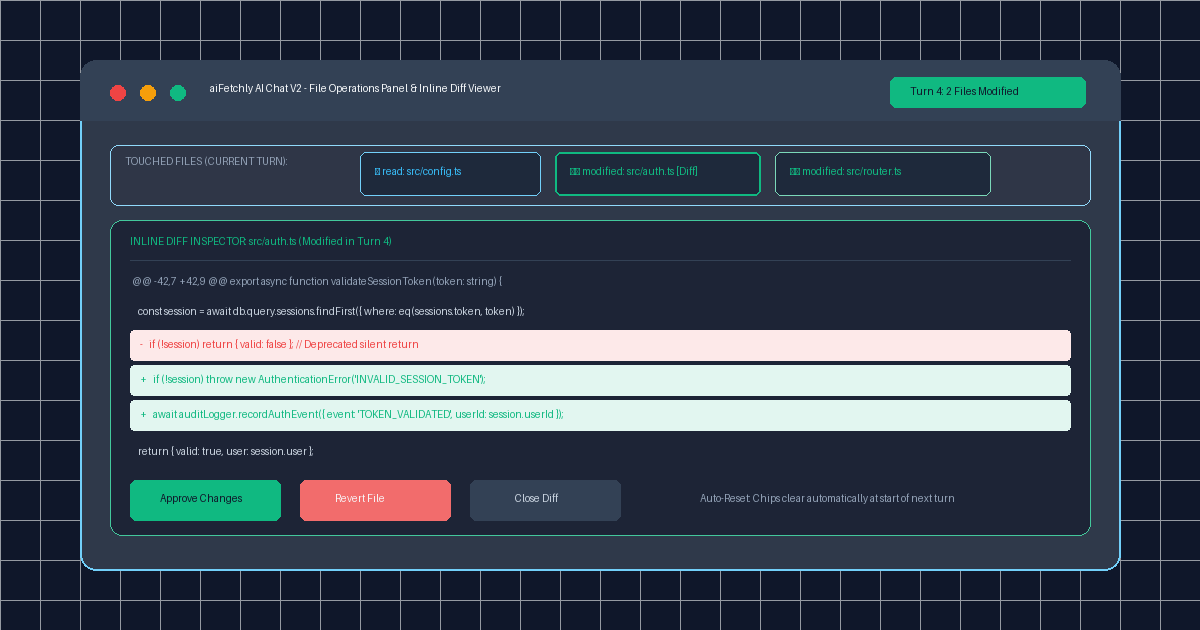
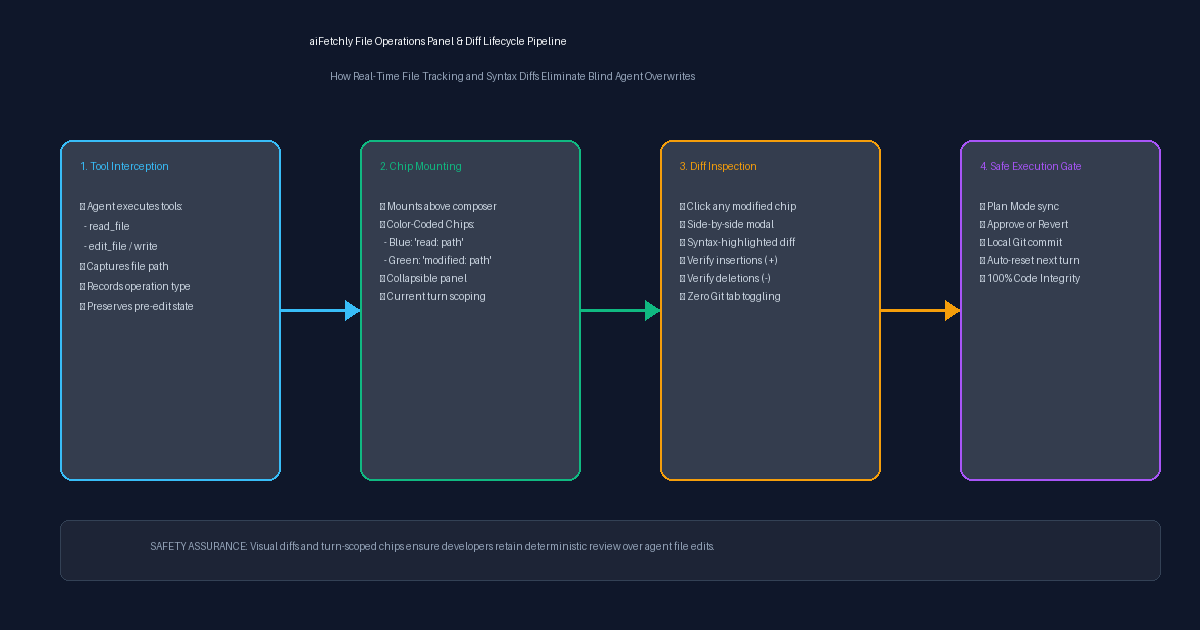
Positioned immediately above the message composer, the File Operations Panel serves as an interactive ledger of all disk I/O performed during the active conversational turn:
| Operation Badge | Visual Indicator | Meaning & Functional Purpose |
|---|---|---|
read: | Blue File Chip | The agent inspected file contents to ingest context (read-only; no disk mutation). |
modified: | Green File Chip | The agent edited, created, or replaced file content on the local filesystem. |
deleted: | Red File Chip | The agent removed an obsolete artifact (governed by safety hooks). |
By maintaining clean visual separation between ingested context and mutated files, developers instantly know the scope of an agent’s actions without scanning verbose scratchpad logs.
One-Click Inline Diff Inspection
Clicking any green modified: chip immediately opens the Inline Diff Inspector directly within the AI Chat window:
- Side-by-Side Unified Diffs: Renders red deletion blocks (
-) and green insertion highlights (+) with standard line numbering. - Syntactic Precision: Displays modified functions, changed variable assignments, and imported libraries in context.
- Granular Actions: Developers can review changes, copy specific snippets, or immediately revert a file if an agent hallucinated unintended edits.
- Automatic Turn Resets: To maintain clean session hygiene, file chips automatically clear when a new turn begins, keeping developer attention focused purely on fresh actions.
Harmony with Plan Mode and Subagent Workflows
The File Operations Panel acts as a vital sanity check within aiFetchly’s broader governance ecosystem:
- Plan Mode Integration: When an agent pauses execution on an Inline Plan Card, developers can click the modified file chips to verify that Step 1 completed accurately before clicking Approve for Step 2.
- Subagent Transparency: When specialized worker subagents execute scoped tasks via the
run_subagentinterface, all parent-visible file mutations surface cleanly in the panel.
Complete Visibility Over Desktop Coding Agents
By pairing real-time file tracking with immediate syntax diff inspection, aiFetchly ensures developers never have to guess what an autonomous agent touched on their machine.
Explore AI Chat V2 governance controls in the AI Fetchly Docs.
Visual Generation Prompts
Hero Image Prompt:Modern dark-mode developer UI of aiFetchly AI Chat V2, showing the File Operations Panel above the composer with color-coded chips (‘read: src/config.ts’, ‘modified: src/auth.ts’), an active inline syntax diff modal highlighting red deletions and green additions, and an ‘Approve Changes’ action button, sleek 3D perspective, cyan and emerald accents.Body Image Prompt:High-resolution technical pipeline flowchart illustrating the aiFetchly File Operations architecture: turn-based tool call interception, read vs modified chip mounting above the chat composer, one-click side-by-side syntax diff inspection, and safe Plan Mode execution gating, clean vector schematic style on dark slate background.