aiFetchly Lifecycle Hooks: Zero-Trust AI Tool Safety
The Enterprise Challenge: Ungoverned Agentic Tool Execution
As autonomous AI agents evolve from static conversational chatbots into action-oriented systems, they increasingly invoke shell commands, query internal databases, and interact with external APIs. While tool calling unlocks enormous productivity, it also introduces substantial operational risks. A hallucinated argument, unvetted recursive file deletion, or unsanctioned SQL mutation can corrupt production databases or compromise host infrastructure.
Standard cloud-based AI platforms treat tool permissions as binary: tools are either completely accessible or disabled. They lack intermediate inspection layers capable of evaluating arguments dynamically or redacting sensitive data.
AI Fetchly resolves this vulnerability through its native Lifecycle Hooks architecture. Operating directly within the local desktop runtime, hooks sit between the LLM and its execution tools, providing fine-grained verification, input mutation, and policy enforcement before and after any tool runs.
The Hook Lifecycle: PreToolUse, PostToolUse, and Failures
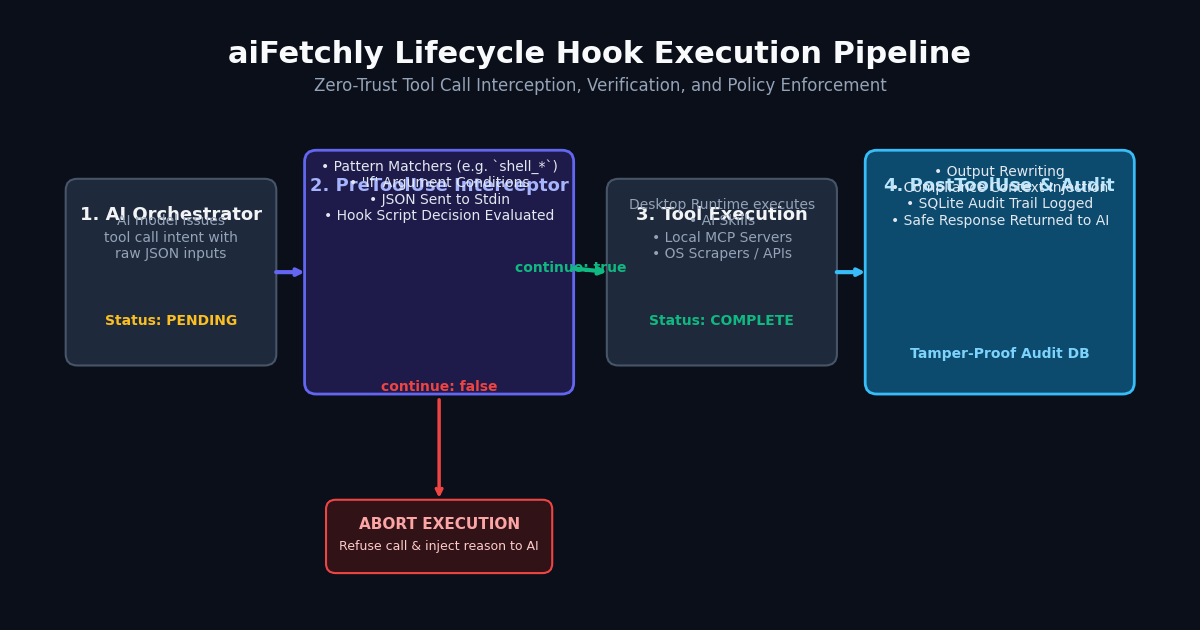
Hooks bind to deterministic moments in an agent’s execution cycle:
- PreToolUse: Triggers immediately before tool invocation. This represents the primary gatekeeper where a hook can inspect incoming arguments, rewrite payloads, or abort execution before side effects occur.
- PostToolUse: Fires upon successful completion. It allows developers to append contextual reminders, rewrite tool output, or sanitize returned payloads.
- PostToolUseFailure: Executes if an underlying tool crashes, allowing error transformation or diagnostic capture without masking errors.
Wildcard Matchers and Argument Conditions
Developers define which tools trigger hooks using concise pattern matchers:
shell_execute: Matches the exact system execution binary.scrape_*: Applies to all web data fetching utilities.*: Universal enforcement across all skills and MCP integrations.
Furthermore, If conditions restrict execution based on actual argument strings, such as targeting rm -rf * or DROP TABLE commands specifically.
The Command Hook Contract: Subprocess JSON IPC
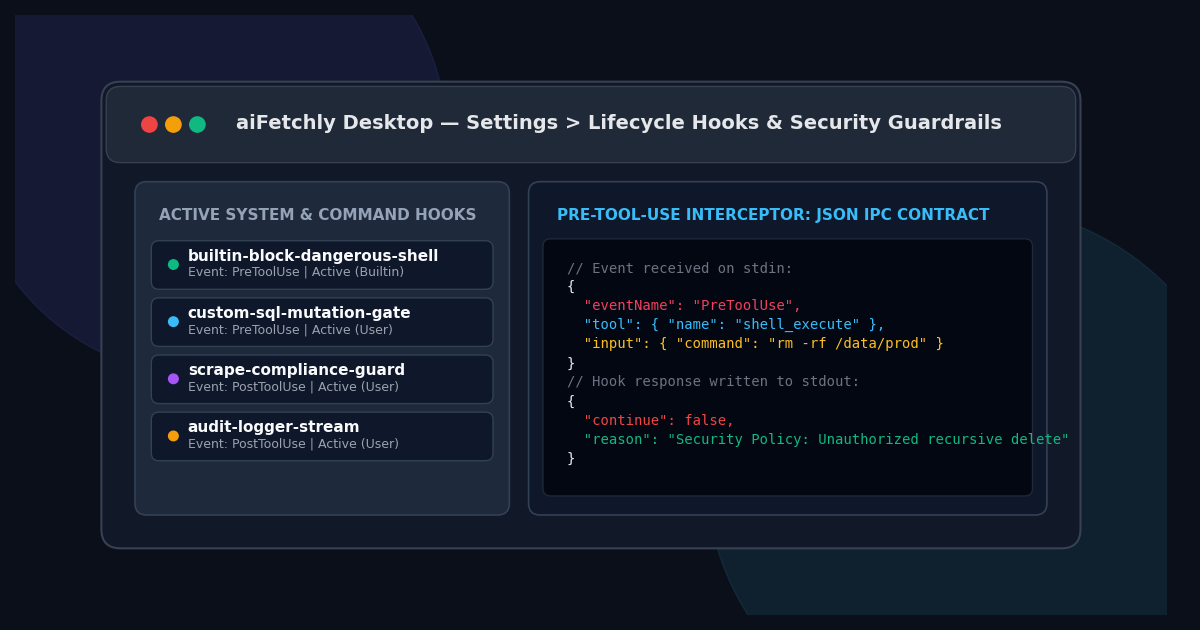
aiFetchly implements command hooks as standalone executables or scripts that communicate with the desktop application through standard input and standard output. When a tool fires, aiFetchly dispatches the event details as a JSON payload to stdin:
{
  "eventName": "PreToolUse",
  "tool": { "name": "shell_execute" },
  "input": { "command": "rm -rf /data/prod" },
  "timestamp": "2026-11-06T10:00:00.000Z"
} Your script parses the payload and outputs a structured decision to stdout:
{
  "continue": false,
  "reason": "Security Policy Violation: Recursive root deletion is prohibited."
} If continue is false, aiFetchly terminates the execution pipeline immediately and supplies the descriptive reason directly back to the model as an error signal.
Tamper-Proof SQLite Audit Trails and Safety Failures
Every hook evaluation, decision, and latency metric is committed locally to an encrypted SQLite database. For critical governance, developers can configure the Failure mode:
- Warn Mode: If a non-essential hook script crashes or exceeds its configurable timeout (default 5,000 ms), the error is logged and tool execution continues.
- Block Mode: For zero-trust security postures, any hook timeout or runtime failure halts the tool call immediately.
Refer to the AI Fetchly Docs to explore advanced hook recipes, including automated PII redaction and enterprise compliance integrations.
Image Generation Prompts
- Hero Image Prompt: Modern SaaS dark mode interface showing aiFetchly Lifecycle Hooks console, PreToolUse event interceptor with glowing cyan security gate, JSON payload inspection window, sleek glassmorphic UI cards, subtle purple accent lighting, clean typography, 8k resolution.
- Body Image Prompt: Detailed technical architecture diagram showing the lifecycle hook flow between the AI Orchestrator, PreToolUse inspection, JSON stdin/stdout validation script, tool execution, and PostToolUse audit log recording into local SQLite.